- Markdown Files in GitHub
- Basic Markdown Formatting for GitHub
- Markdown for Jupyter Notebook
- Markdown Files in R
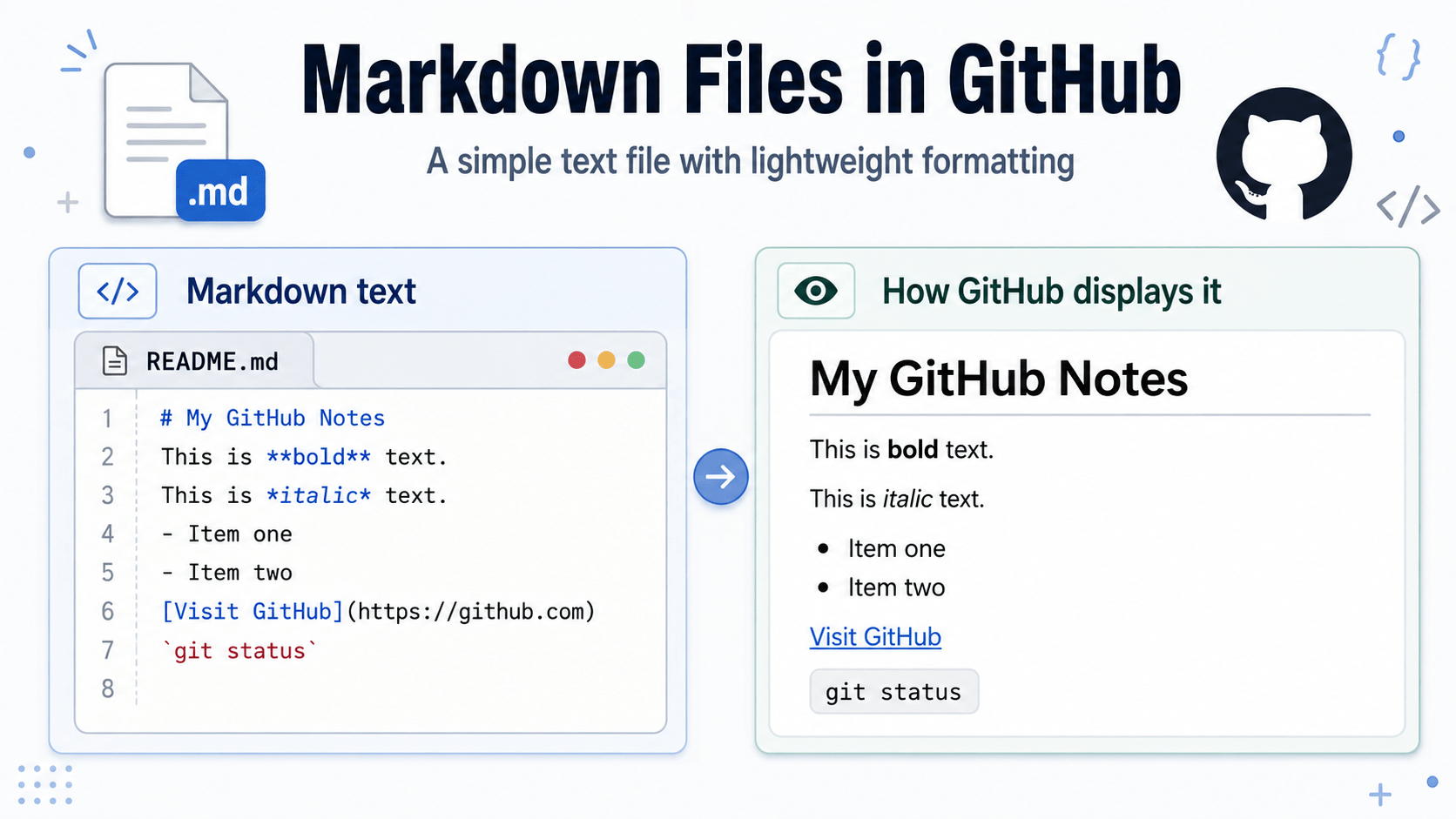
Markdown is a simple way to add formatting to plain-text files.
A Markdown file normally uses the file extension:
.mdFor example:
README.mdMarkdown files can contain headings, lists, links, bold text, code examples, and other formatting. However, the file itself remains plain text and can be opened in a basic text editor.
Why GitHub Uses Markdown
GitHub can recognize Markdown formatting and display it as a properly formatted web page.
This makes Markdown useful for:
- Project descriptions
- Setup instructions
- Documentation
- Notes
- Lists of tasks
- Code examples
Markdown is widely used on GitHub because it is easier to write than HTML but still produces clear, readable pages.
The README File
One of the most common Markdown files in a GitHub repository is:
README.mdA README file usually introduces the project. It may explain what the project does, what technology it uses, how to install it, and how to run it.
When GitHub finds a README file in the main folder of a repository, it normally displays the contents below the list of files and folders.
This means the README becomes a type of front page for the project.
README.txt Versus README.md
A plain-text README may be named:
README.txtGitHub can display the text, but the formatting options are limited.
A Markdown README is named:
README.mdThe Markdown version can include formatted headings, lists, links, and code blocks.
For most GitHub projects, README.md is the more useful choice.
A Simple Markdown Example
The following text could be placed inside a README.md file:
# The Title of My Project

A Flask-based platform for exploring social enterprise and social innovation.

## Technology

- Python
- Flask
- SQLite
- Tailwind CSS

## Project Status

The project is currently under development.
GitHub would display the lines beginning with # and ## as headings. The lines beginning with hyphens would appear as a list.
Creating a Markdown File
You can create a Markdown file in Visual Studio Code, Notepad, or another text editor.
Save the file with the .md extension, such as:
README.mdAfter committing and pushing the file to GitHub, GitHub will display the formatted version automatically.
Markdown Is Still Plain Text
Markdown may look formatted on GitHub, but the original file remains plain text.
This makes Markdown files easy to:
- Edit
- Search
- Store in Git
- Compare between versions
- Use on different computers
Markdown provides a useful balance between simple plain text and readable formatted documentation.
Why Do Markdown Files Exist? Why Not Just Use HTML?
You absolutely could use HTML instead of Markdown.
For example, the following HTML:
<h1>My GitHub Notes</h1>
<p>This is <strong>bold</strong> text.</p>
<ul>
  <li>Item one</li>
  <li>Item two</li>
</ul>
could be written in Markdown like this:
# My GitHub Notes

This is **bold** text.

- Item one
- Item two
The main advantage of Markdown is that it is fast to write and easy to read as plain text.
HTML is more powerful and gives you much more control over the structure and appearance of a web page. You can use tags, attributes, CSS classes, tables, embedded elements, and many other features.
Markdown deliberately gives up some of that power in exchange for simplicity.
A useful way to think about the difference is:
- HTML is a full markup language used to structure web pages.
- Markdown is a lightweight writing format designed to make simple formatting easy to type and easy to read.
Markdown is especially useful for things such as README files, notes, documentation, issue templates, and other technical writing.
On GitHub, Markdown is particularly convenient because GitHub automatically renders .md files as nicely formatted pages.
That is one reason files such as README.md are so common in GitHub repositories.
Markdown does not really replace HTML. It is simply an easier source format when you care mainly about the words and basic structure rather than detailed page design.